Chain AI.
Create Magic.
Visual automation for AI operations. Connect text generation, image creation, style transfer, video production, audio synthesis, and more—collaborate with your team in one powerful workflow.
How It Works
Three simple steps to automate your AI creations
Add Nodes
Drag AI operations onto the canvas. Text generation, image creation, video production, audio synthesis, and more.
Connect
Draw connections between nodes. The output of one becomes the input of the next.
Run
Hit run and watch your workflow execute. All operations process automatically.
Powerful Features
Everything you need to create complex AI workflows
Visual Node Editor
Drag, drop, and connect AI operations on an intuitive canvas. No coding required.
Parallel Processing
Run multiple AI operations simultaneously. Create faster, work smarter.
Reusable Templates
Start with pre-built workflows or save your own for repeated use.
Team Collaboration
Work together in real-time. Share workflows, co-create, and manage team projects seamlessly.
Style Consistency
Use shared inputs across nodes to maintain uniform style across outputs.
All AI Models
Access image generation, editing, video creation, and audio in one workflow.
Ready-to-Use Templates
Start with pre-built workflows and customize to your needs

Generate Images – Starter Scenarios
Three ways to generate images: simple prompt, AI-written prompt, and reference image editing, each with inline documentation and a video walkthrough.

Generate Videos – Starter Scenarios
Four powerful ways to create videos: from text, from images, using frame interpolation, and by editing images before animation.

Singapore Knitted City - Short Video
Transform multiple Singapore landmark images into knitted fabric style and create animated videos, culminating in a special animation of the word "SINGAPORE" being knitted letter by letter.
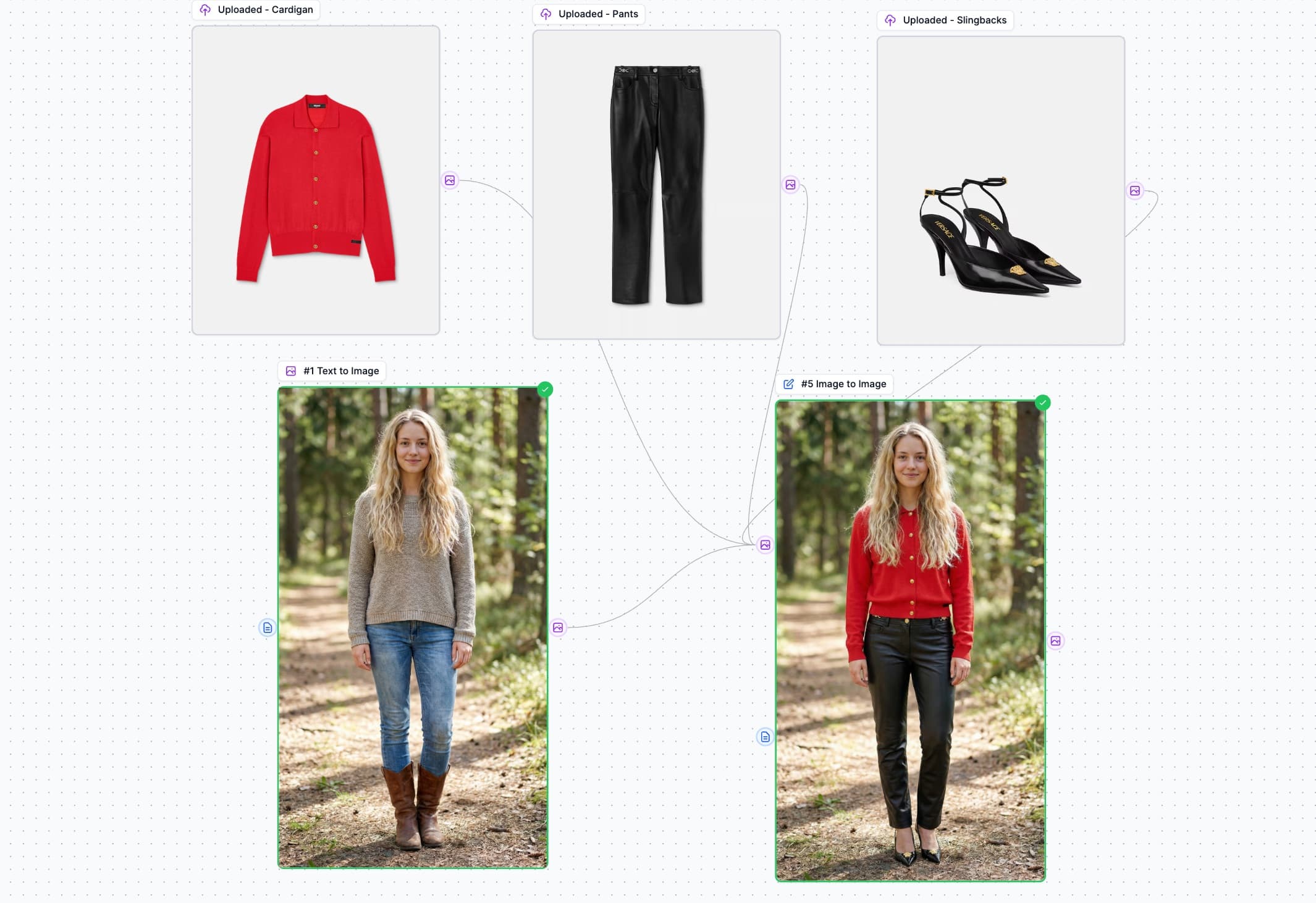
Virtual Try-On
Generate a model image, dress them with uploaded clothing items using AI image editing, and animate the result into a video with AI-generated motion.
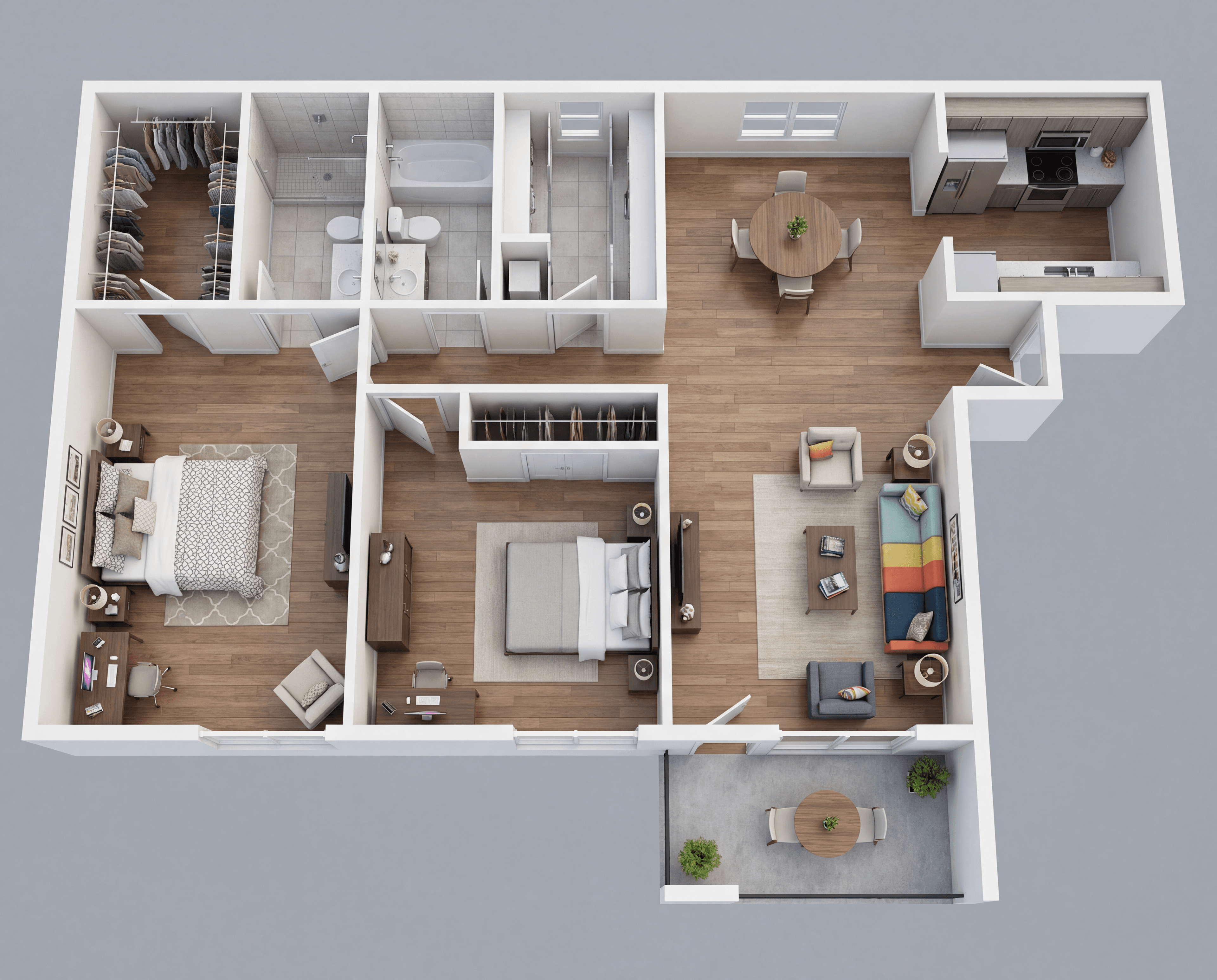
Interior Design Visualization
Transform a 2D floor plan into a stunning 3D isometric maquette, then generate photorealistic room renders and create an animated video tour of the entire property.

Fashion Product Video - Multi-Scene Showcase
Create a stunning fashion product showcase video by combining a model reference with a product image, generating multiple scene variations, animating each scene, and merging them into a polished multi-scene commercial.

Contact Sheet Fashion Video Production
Advanced fashion video workflow using Contact Sheet Prompting with Nano Banana Pro. Upload a model image, apply wardrobe styling, generate 6 dynamic camera angle keyframes, then create multiple cinematic video clips with Veo 3.1 first-last frame animation.
Built for Everyone
From solo creators to enterprise teams
Content Creators
Batch process videos for social media. Transform one idea into dozens of variations.
E-commerce
Generate product videos, virtual try-ons, and lifestyle imagery at scale.
Marketing Teams
Create consistent branded content across multiple campaigns simultaneously.
Designers
Experiment with style transfers and variations without repetitive manual work.
Ready to Automate Your
Creative Process?
Join thousands of creators using AI Workflows to transform their ideas into reality.
No credit card required • Works with your existing plan
Frequently Asked Questions
What AI operations can I use in workflows?+
You can use all our AI capabilities: text generation (GPT, Claude, Gemini, etc.), image generation (Nano Banana, Seedream, Midjourney, Flux, etc.), image editing, video generation (VEO, Kling, LTX, etc.), audio synthesis, and utility operations. Plus, collaborate with your team in real-time.
How do credits work with workflows?+
Each node uses credits based on the operation type. For example, an Image to Image node uses the same credits as using the standalone tool.
Can I save and reuse my workflows?+
Yes! All your workflows are automatically saved. You can also use our pre-built templates or create your own reusable templates.
Is there a limit to how many nodes I can use?+
There is no hard limit on the number of nodes. However, very complex workflows with many parallel operations may take longer to process.
Can I use workflows on the Free plan?+
AI Workflows is available on all paid plans. Free plan users can explore the workflow builder but need to upgrade to run workflows.